 English lesson
Article
Choose how to use this lesson
You can switch anytime.
Study mode
Introduction
Typing practice
Type the text exactly. Timer starts with your first key.
Text to type: You see QR codes on menus, posters, and product labels. One small square can hold a website address, and your phone can read it even when it is tilted. How can black and white squares do this? And how can you check that a code is safe?
Ready. The timer starts with your first key.
Complete
Great job!
Strong finish — your speed stayed steady.
Your rhythm
Speed over time- Time
- 0:00
- Raw speed
- 0 WPM
- Wrong keys
- 0
- Corrected
- 0
Before you begin
Warm-Up Questions
Where did you last see a QR code?
What do you usually do when you see a QR code?
What do you think a QR code can store?
Reading
Part 1 — What Is a QR Code?
Typing practice
Type the text exactly. Timer starts with your first key.
Text to type: A QR code is a two-dimensional pattern of black and white squares. The letters QR stand for Quick Response. Unlike a barcode, which only stores information in one direction (left to right), a QR code stores information in two directions — across and down. This means it can hold much more data in a small space. For example, a single QR code can store a full website address, a phone number, or even a short message.
Ready. The timer starts with your first key.
Complete
Great job!
Strong finish — your speed stayed steady.
Your rhythm
Speed over time- Time
- 0:00
- Raw speed
- 0 WPM
- Wrong keys
- 0
- Corrected
- 0
Check your understanding
Check — What Is a QR Code?
1. How is a QR code different from a barcode?
Sample answer
A QR code stores information in two directions — across and down — so it can hold more data than a barcode, which only stores information in one direction.
 Part 2 — Modules and Size
Reading
Part 2 — Modules and Size
Typing practice
Type the text exactly. Timer starts with your first key.
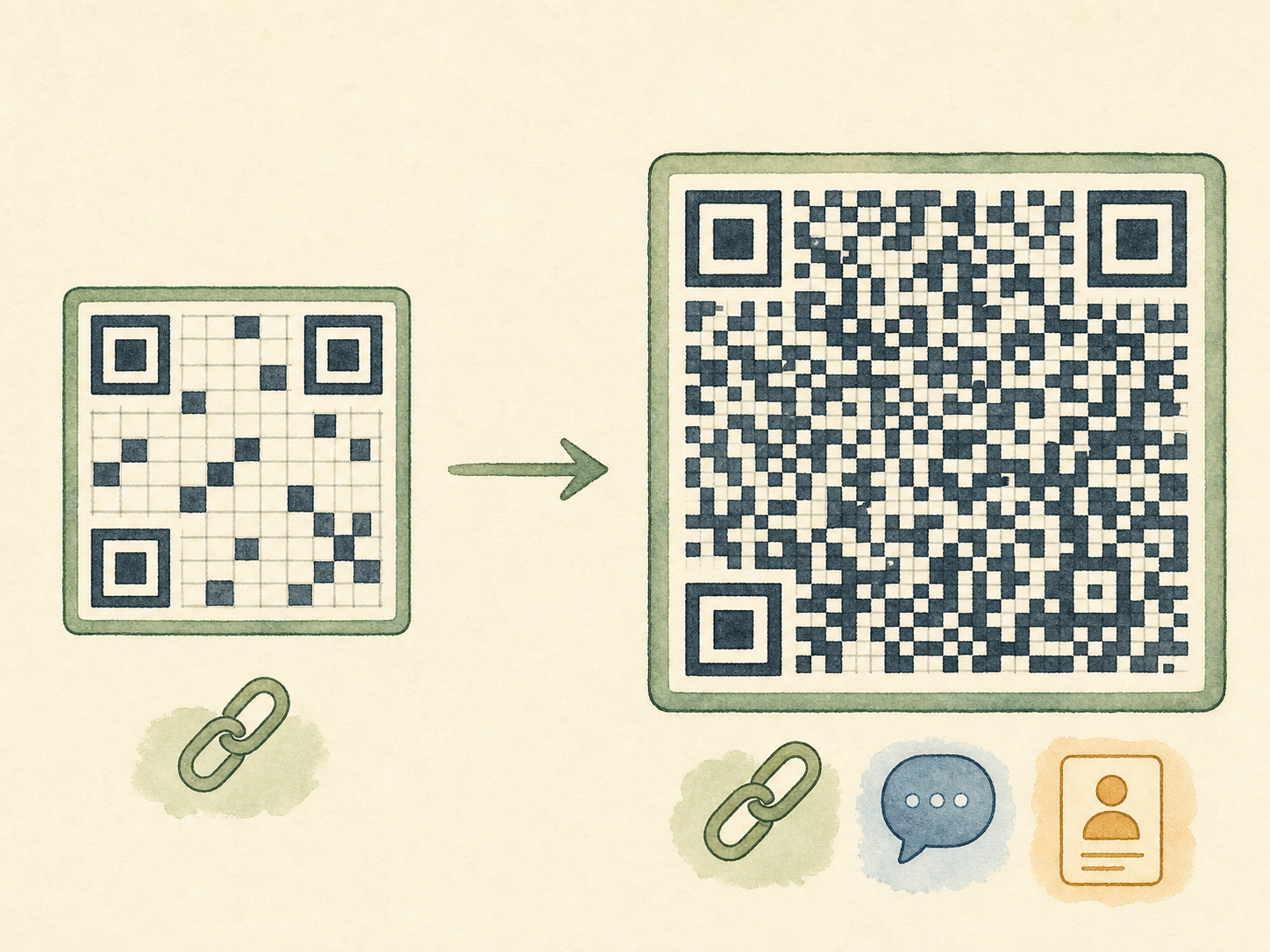
Text to type: The small black and white squares inside a QR code are called modules. Every module is either black or white, and together they form a code. A simple QR code — for example, one that stores just a short word — needs fewer modules and is smaller. A complex QR code — for example, one that stores a long web address — needs more modules and becomes larger. The more data you put in, the bigger the code gets.
Ready. The timer starts with your first key.
Complete
Great job!
Strong finish — your speed stayed steady.
Your rhythm
Speed over time- Time
- 0:00
- Raw speed
- 0 WPM
- Wrong keys
- 0
- Corrected
- 0
Check your understanding
Check — Modules and Size
1. Why does a QR code get bigger when it stores more data?
Sample answer
Because more data needs more modules. A larger QR code contains more black and white squares to hold all the extra information.
 Part 3 — How Your Phone Reads a QR Code
Reading
Part 3 — How Your Phone Reads a QR Code
Typing practice
Type the text exactly. Timer starts with your first key.
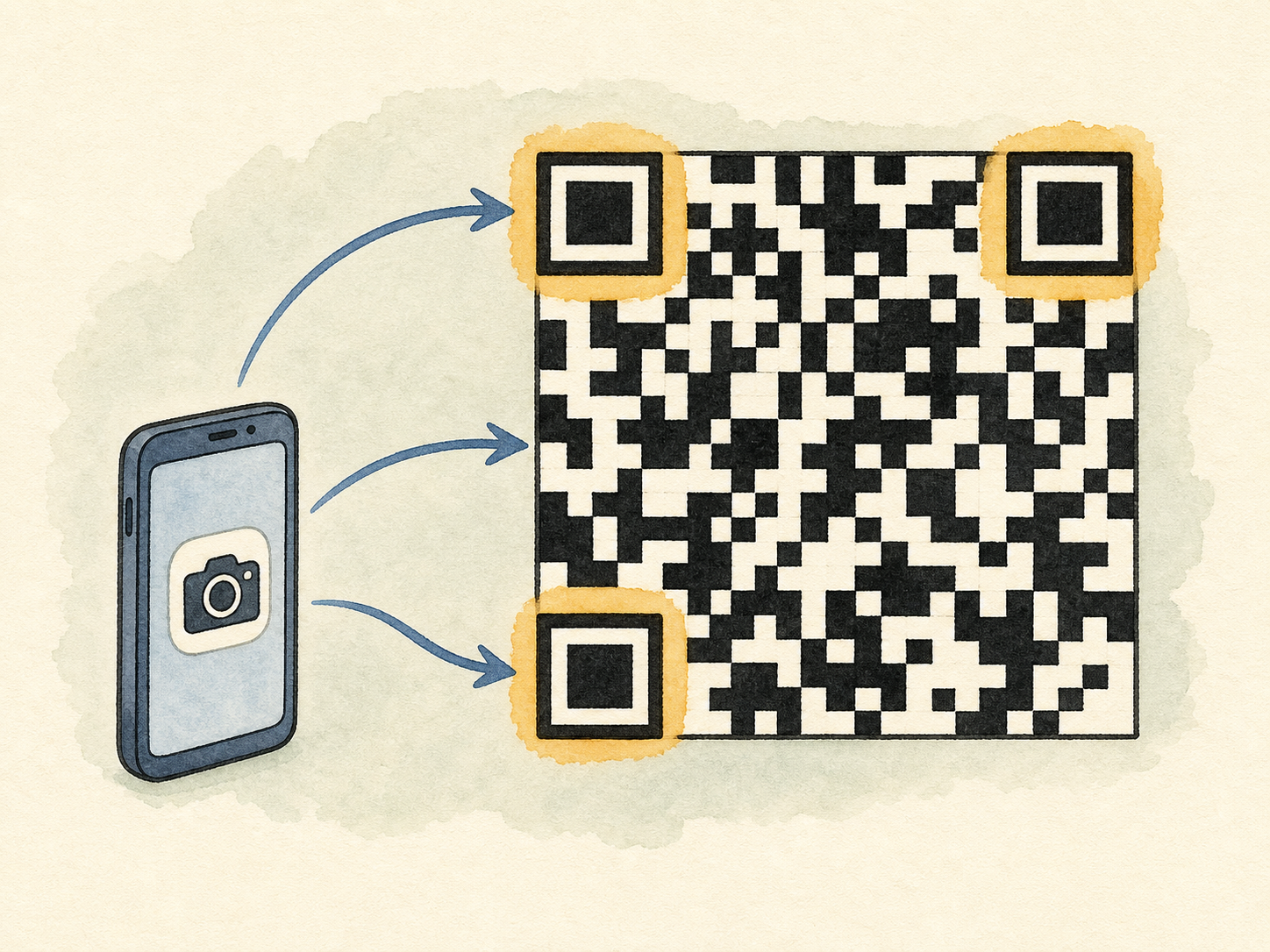
Text to type: Look at a QR code and you will notice three square shapes in three corners. These are called position patterns. They help your phone's camera find the code and understand which direction it is facing — even if the code is upside down or tilted. Once the camera locates the three corner squares, it reads the modules across and down and turns the pattern into data. This is why scanning is so fast: the position patterns act like a map.
Ready. The timer starts with your first key.
Complete
Great job!
Strong finish — your speed stayed steady.
Your rhythm
Speed over time- Time
- 0:00
- Raw speed
- 0 WPM
- Wrong keys
- 0
- Corrected
- 0
Check your understanding
Check — Position Patterns
1. What do the three corner squares in a QR code do?
Sample answer
They are position patterns. They help the camera find the code and know which direction it is facing, making scanning fast even if the code is tilted or upside down.
Reading
Part 4 — What Happens When a QR Code Is Damaged?
Typing practice
Type the text exactly. Timer starts with your first key.
Text to type: A QR code has a built-in safety feature called error correction. This means that even if part of the code is dirty, torn, or covered, some missing data can still be restored and read correctly. The code stores extra information that helps rebuild some missing pieces automatically. This is why a QR code may still work when a small part is hard to see.
Ready. The timer starts with your first key.
Complete
Great job!
Strong finish — your speed stayed steady.
Your rhythm
Speed over time- Time
- 0:00
- Raw speed
- 0 WPM
- Wrong keys
- 0
- Corrected
- 0
Check your understanding
Check — Error Correction
1. Why can a QR code still work when part of it is covered by a logo?
Sample answer
Because QR codes have error correction. The code stores extra copies of the data, so missing or covered parts can be rebuilt and read correctly.
 Part 5 — Staying Safe When You Scan
Reading
Part 5 — Staying Safe When You Scan
Typing practice
Type the text exactly. Timer starts with your first key.
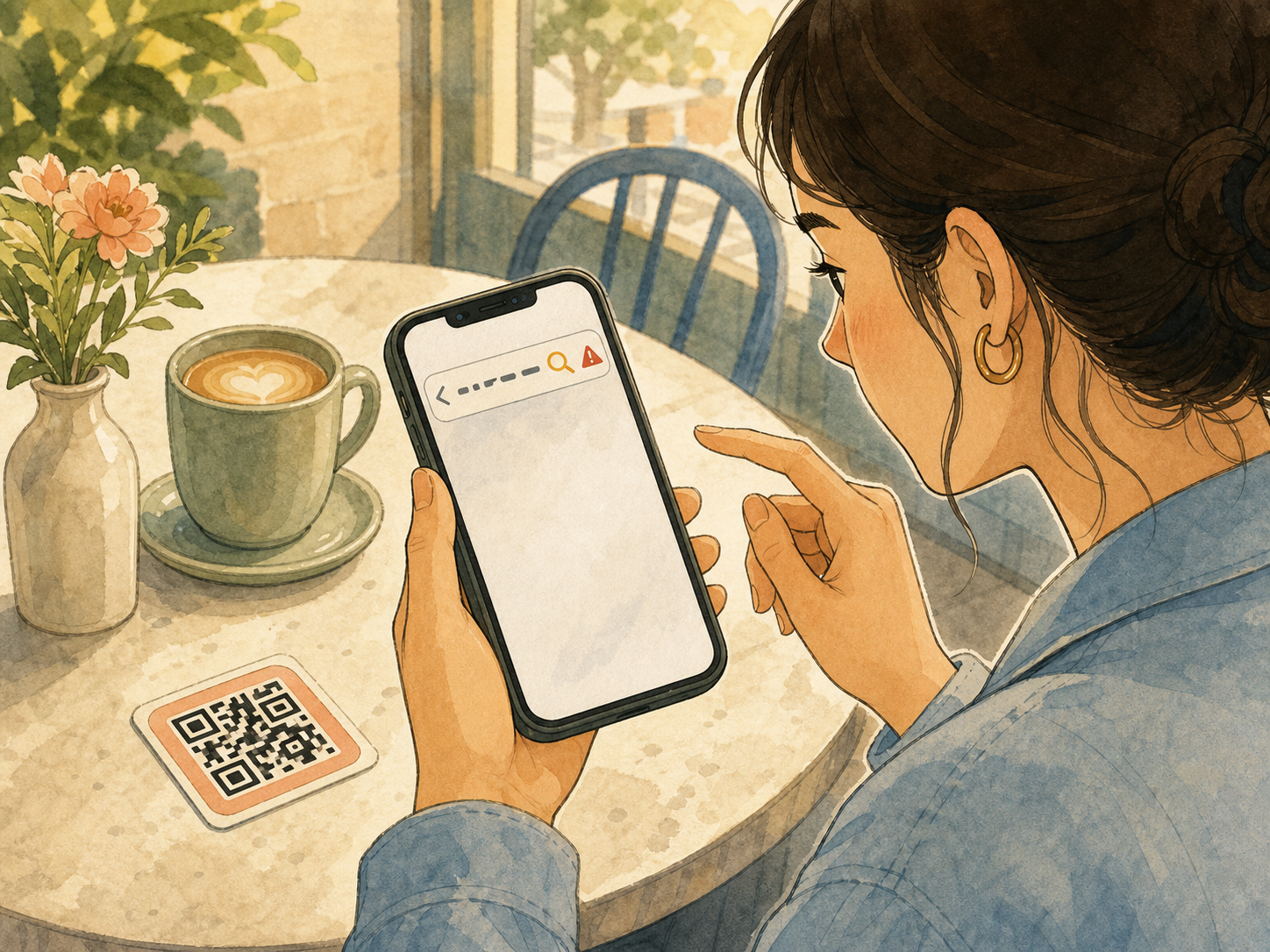
Text to type: QR codes are useful, but they can also open harmful or fake websites. Scammers may use a QR code to send you to a page that tries to steal your personal information. Before you open a link, always check the web address on your screen. If the address looks strange, the code is unexpected, or it pressures you to act quickly, do not open it.
Ready. The timer starts with your first key.
Complete
Great job!
Strong finish — your speed stayed steady.
Your rhythm
Speed over time- Time
- 0:00
- Raw speed
- 0 WPM
- Wrong keys
- 0
- Corrected
- 0
Check your understanding
Check — Staying Safe
1. What should you do before you open a link from a QR code?
Sample answer
You should check the web address on your screen first. If it looks strange or the code is asking you to act quickly, do not open the link.
What you can do now
Final Reflection
You are at a café and you see a QR code on the table for the menu. What do you do before you open the link, and why?
Learning cards
My cards
How QR Codes Work
0 due · 9 new · about 3 min
Learn the sense first · then retrieve it
Focused Reading Mode is open.
Listening
Lesson audio
Listen from the beginning, or choose “Play this part” as you read along.
Reading
Part 1 — What Is a QR Code?
Reading
Part 2 — Modules and Size
Reading
Part 3 — How Your Phone Reads a QR Code
Reading
Part 4 — What Happens When a QR Code Is Damaged?
Reading
Part 5 — Staying Safe When You Scan
Finished listening?
Mark this listening practice complete when you have followed the lesson audio.
Listening complete
Listen Mode
Word-by-word syncPlay the audio and follow the highlighted word.
Article complete
Choose your next step
Open the next same-level lesson, replay the article, or save this page for later.
Listen Again
Replay the article once and notice how much more you understand.
One replay is enough. Then move on.