B1: Microsoft’s Edge Copilot Update Uses AI to Pull Information
Quality checked lesson
Study Microsoft’s Edge Copilot update in a clear English news lesson.
Scene Gallery
Key Scenes
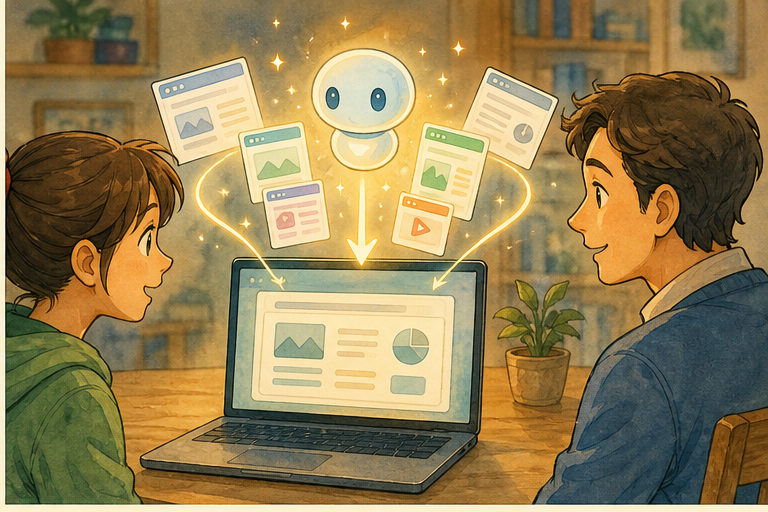
Transcript
Choose how to use this lesson
You can switch anytime.
Today's path
One clear way through the lesson
Start with Read core, then move forward when you feel ready.
- 1 Read core
- 2 Check understanding
- 3 Go deeper
Current mode
Study mode: full transcript with word help and inline checks.
Study Layout
Experience
Read-along works with this web player.
Introduction
to this. You have is a is a and is a you and was the can Its can your and them. That but it a Would you your to we will at it can do, and for the and
The Story
is a It is the to has an is a can and in can In it can at and the them. This in a They they a Maybe tab a flight. baggage A Instead of a could ask flight ” or has ” The those
Read the sentence about Copilot in Microsoft Edge. What is Copilot, and how do users use it?
You can start like this: Copilot is a...
Let’s that Imagine Sara is a to Chicago She is and she has on her laptop. and She She asks is closer to downtown, and is ” If the is and Sara If the is she could the That is this and risky at the can they this feature. That is can If a is forcing itself their browsing, they it But if they can the they they is a quick you is or In this is the The feature is if it.
A traveler has seven tabs open: hotels, train tickets, a map, and restaurant pages. What can we understand about her situation?
You can start like this: She is probably...
The is an feature Mode. This was a experimental of Experimental being and Mode could do tab It could for the For it a at a is ending Mode as a feature. it are the in That tech features. That so let’s it It the does not It It or a that it losing these situations. In you a and you the In the starts doing the for you. to you?
What is Microsoft doing with Copilot Mode as a separate feature?
You can start like this: Microsoft is...
This is of a in Browsers to be to the You a and it browsers to helpers. They them to summarize and is not Other tech are The is They to in not or the of this is not It is the can contain A tab your your your shopping cart, or your of that, will can the it ignore? When is it active? These are but they a Convenience is but is
What do Microsoft and other companies want artificial intelligence to feel like in daily life?
You can start like this: It is...
There is a in In the you did the and comparing You at remembered and maybe With this of that to The You but you In you but you to for That is a recap searching, shopping. You for laptops. has a has a has delivery. Instead of jumping you ask for a quick comparison. That on a But is a If the would you Maybe maybe no. That is when a
What does Copilot help a user do instead of jumping between web pages?
You can start like this: It helps the user...
So this is not a feature. It a for browsers. Browsers are active. They are to and not display For that could to For learners you, it is a We can ask a the itself. Is this mainly or is it The is
Why could Microsoft's new Edge feature be useful for learners of English?
You can start like this: It could be useful because...
Practice
can do with in It can and them.
In Sara’s did she to She it to and her was closer and
does the “experimental” in this It the feature was being and
is a of features”? It the does not It can for the
is the main benefit and the main of this The main benefit is The main is losing or
Summary
is but to do With it can and summarize your That when you or But will ask and So maybe the is this: can be a but to awake and for the and See you at with and
Go deeper
More discussion
Open question 1 · opinion
What do you think about key word?
Follow up: Use one detail from the lesson line before adding your own view.
Open question 2 · personal_experience
Have you seen a real example of key word?
Follow up: Use one detail from the lesson line before adding your own view.
Open question 3 · comparison
How is everyday user similar to or different from another example you know?
Follow up: Compare one detail from the lesson line with one real example.
Open question 4 · opinion
What do you think about the idea that change in how people work online?
Follow up: Use one detail from the lesson line before adding your own view.
Open question 5 · comparison
How is update not small new similar to or different from another example you know?
Follow up: Compare one detail from the lesson line with one real example.
Simple Meaning
Word
This word has no saved lesson sentence yet.
Simple Meaning
Preparing word help...
In this sentence
No context meaning available yet.
Simple version
Example sentence
Language assist
Loading assist...
Extra language help is not ready for this word yet.
Question
Lesson vocabulary
Vocabulary
Save words from this lesson, then use flashcards and quiz here.
Practice your saved words. We'll bring back the ones you need to review.
Flashcards
No saved words yet
Tap words in the transcript to start your lesson vocabulary.
Listen Again
You listened, read, and studied the lesson. Now listen one more time and notice how much more you understand.
Re-listening after studying helps you remember new words better.
Quick feedback
If something felt confusing, broken, or especially helpful, send one short note before you move on.