A Day at Disneyland: Tickets, Help and Lunch
Quality checked lesson
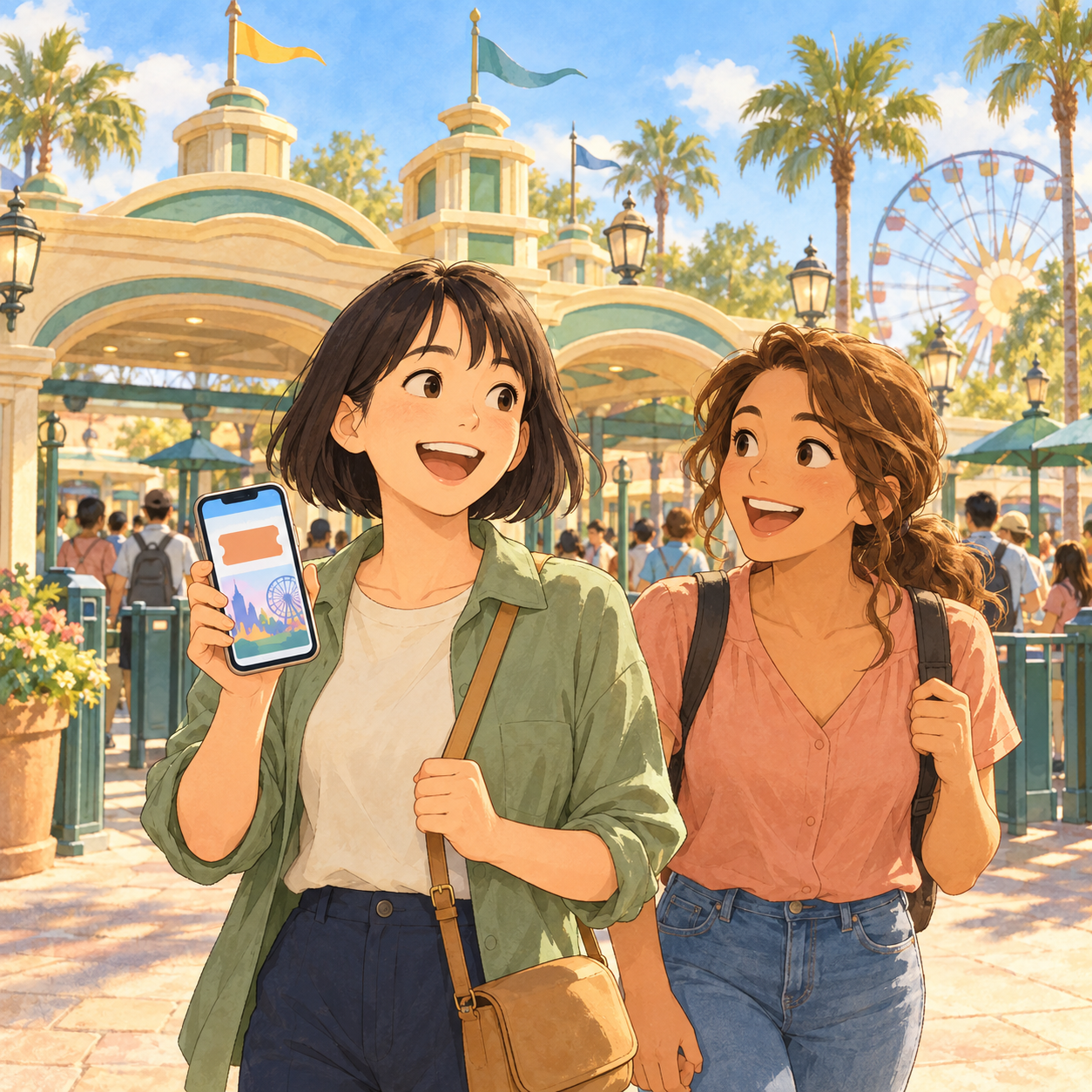
Today you visit Disneyland in California, from the front gate to lunch. You will learn how tickets, help from staff and food orders work, and then practise three real conversations.
 English lesson
Article
Choose how to use this lesson
You can switch anytime.
Study mode
Introduction
Typing practice
Type the text exactly. Timer starts with your first key.
Text to type: Today you visit Disneyland in California, from the front gate to lunch. You will learn how tickets, help from staff and food orders work, and then practise three real conversations.
Ready. The timer starts with your first key.
Complete
Great job!
Strong finish — your speed stayed steady.
Your rhythm
Speed over time- Time
- 0:00
- Raw speed
- 0 WPM
- Wrong keys
- 0
- Corrected
- 0
Before you begin
Warm-up
Have you been to a theme park before? What did you enjoy most?
Before a big day out, how do you get tickets? Do you buy them at the gate or online?
At a busy place, what do you do when you need help? Do you ask a person or use your phone?
Reading
Part 1: The Resort and Your Ticket
Typing practice
Type the text exactly. Timer starts with your first key.
Text to type: Disneyland in California is not just one park. It is a big resort with many parts. It has two parks, Disneyland Park and Disney California Adventure. It also has Downtown Disney, a shopping and dining area. There are three hotels too. They are the Disneyland Hotel, Disney's Grand Californian Hotel & Spa and Pixar Place Hotel. Pixar Place Hotel got its new name in 2024. Before your day, decide which park you want to visit. Tickets work differently now than in the past. Before 1982, guests paid to go in. Then they paid again for each ride with special tickets. These ride tickets had letters, from A to C. Since 1982, one admission price lets you use most attractions as often as you like. This makes the day simpler. You pay once and then you ride. Where should you get your ticket? You can get park tickets from the official Disneyland Resort website. This is a safe choice because it comes straight from Disney. Some rides have long lines. The normal line is called the standby line. Disney sells Lightning Lane passes. With these, you can skip the standby line at some rides, so you save time. Not every ride has this. Prices can change, so do not guess. Check the official website before you buy.
Ready. The timer starts with your first key.
Complete
Great job!
Strong finish — your speed stayed steady.
Your rhythm
Speed over time- Time
- 0:00
- Raw speed
- 0 WPM
- Wrong keys
- 0
- Corrected
- 0
Check your understanding
Check: Part 1: The Resort and Your Ticket
1. Why is the ticket system easier today than before 1982?
Sample answer
Before 1982, guests paid to enter and then paid again for each ride with A to C tickets. Since 1982, one admission price lets you use most attractions as many times as you want. So you only pay once, and you do not need to buy tickets for each ride.
Useful language
Useful phrases
- Use it when you are not sure you are at the right entrance.Excuse me, is this the way into Disneyland Park?
- Use it to explain where your ticket came from.My ticket is on my phone. I bought it on the official Disneyland website.
- Use it to ask a price before you decide to buy.Lightning Lane sounds good. How much does it cost?
- Say it when you hand or show something to someone.Here you go. This is my ticket.
Reading
Part 2: Getting Help With a Table
Typing practice
Type the text exactly. Timer starts with your first key.
Text to type: Inside the park, the staff can help you with many things. A common question is about food. Some restaurants are table-service restaurants. This means you sit down, and a server brings your food. These places can be busy. So how do you get a table? The Disneyland app can help. At some table-service restaurants, you can add your group to a walk-up list. You can do this only if the restaurant has space. You can check if there is space in two ways. You can look in the app, or you can scan a QR code near the restaurant entrance. You do not need to go to the host stand. The host stand is the desk at the front, where staff welcome guests. This is helpful for food needs too. When you add your group to the list, you can confirm details in the app. You can also tell the restaurant about special dietary needs. For example, maybe someone in your group cannot eat eggs. You can write this in the app. You do not need to explain it out loud in a busy place.
Ready. The timer starts with your first key.
Complete
Great job!
Strong finish — your speed stayed steady.
Your rhythm
Speed over time- Time
- 0:00
- Raw speed
- 0 WPM
- Wrong keys
- 0
- Corrected
- 0
Check your understanding
Check: Part 2: Getting Help With a Table
1. Your friend cannot eat eggs, and you want a table at a busy restaurant. What can you do with the Disneyland app?
Sample answer
First, check in the app, or scan the QR code near the entrance, to see if the restaurant has space. If it has space, add your group to the walk-up list. When you add your group, you can confirm the details and tell the restaurant that your friend cannot eat eggs.
Useful language
Useful phrases
- Use it to start a polite request for help.Excuse me, sorry to bother you. Could you help me?
- Use it to ask how to eat at a sit-down restaurant.We want to eat here later. How do we get a table?
- Use it to check if you must go somewhere in person.Do I need to go to the restaurant first, or can I use my phone?
- Use it to explain a food need for someone in your group.Also, my friend can't eat eggs. Is that a problem?
- Say it to end a conversation with a helpful person.That's very clear. Thank you for your help!
Reading
Part 3: Ordering Food With the App
Typing practice
Type the text exactly. Timer starts with your first key.
Text to type: What if the restaurant has no space? Or what if you just want a quick meal? You can use the Disneyland app to order food and drinks ahead of time. This works at some dining places in the park. Here is how it works, step by step. First, you choose a restaurant. Next, you pick an arrival time. This is the time you plan to come and get your food. Then you customize your order. That means you can change it. For example, you can take out something you do not want. Last, you pay. There are several ways to pay, including a Disney Gift Card and Apple Pay. The app can do more outside the parks too. If you stay at a Disneyland hotel, you can order meals and snacks in the app. Then you pick them up at some hotel locations. You can also choose some Downtown Disney restaurants and see their food. Some of them can deliver your order to a hotel lobby.
Ready. The timer starts with your first key.
Complete
Great job!
Strong finish — your speed stayed steady.
Your rhythm
Speed over time- Time
- 0:00
- Raw speed
- 0 WPM
- Wrong keys
- 0
- Corrected
- 0
Check your understanding
Check: Part 3: Ordering Food With the App
1. Explain to a friend how to order lunch in the Disneyland app, from start to finish.
Sample answer
First, choose a restaurant. Next, pick an arrival time, which is when you will come to get the food. Then customize the order, for example by taking out something you cannot eat. Finally, pay with one of the payment methods, such as a Disney Gift Card or Apple Pay.
Useful language
Useful phrases
- Use it to suggest the app when lines are long or there is no table.There's no space right now. Let's order food in the app.
- Use it to ask someone what they want to eat or drink.I'm ordering now. What would you like?
- Use it to say what must not be in the food.I'll have this one. But it can't have eggs.
- Use it when you want the same order as someone else.I'd like the same, but with a bigger drink.
- Use it to ask about payment methods.The order looks good. How do we pay?
 Scene: Arriving at the Park Entrance
Scene
Scene: Arriving at the Park Entrance
Typing practice
Type the text exactly. Timer starts with your first key.
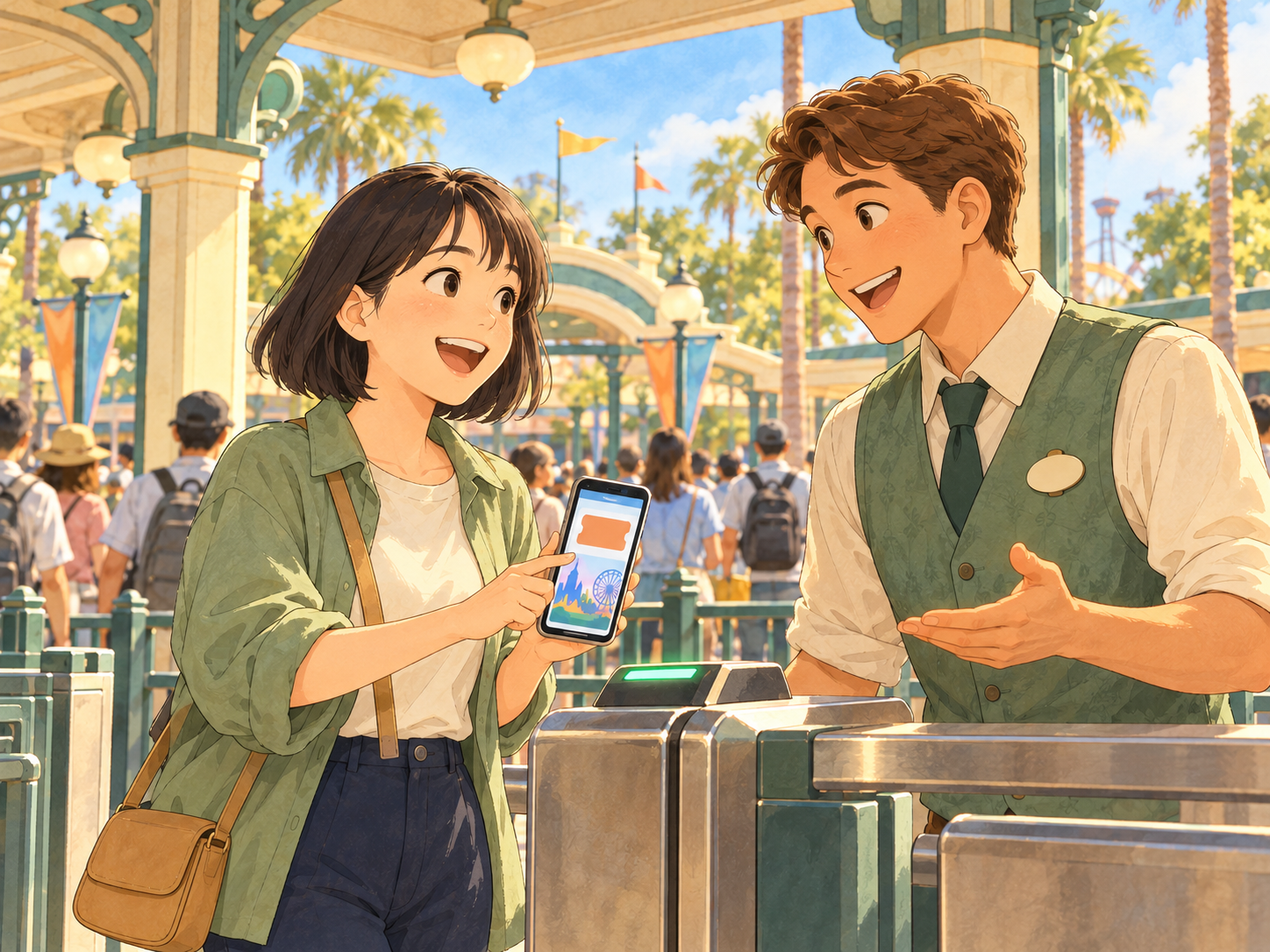
Text to type: It is early morning in California, and the sun is warm. You are at the entrance of Disneyland Park, and your ticket is on your phone. A smiling staff member named Daniel is helping guests. Your goal is to make sure you are at the right entrance, show your ticket, and find out what Lightning Lane is and how to learn its price.
Ready. The timer starts with your first key.
Complete
Great job!
Strong finish — your speed stayed steady.
Your rhythm
Speed over time- Time
- 0:00
- Raw speed
- 0 WPM
- Wrong keys
- 0
- Corrected
- 0
Roleplay
Conversation: Arriving at the Park Entrance
Practise with the dialogue audio
Audio unavailable. Please try again.
You
Hi! Good morning. Is this the way into Disneyland Park?
Daniel (park staff)
Good morning! Yes, it is. Welcome! Do you have your ticket?
You
Yes. I bought it on the official Disneyland website. It's on my phone.
Daniel (park staff)
Perfect. That's a great place to get tickets. Is this your first visit?
You
Yes, it's my first time. I came from Japan. I'm so excited!
Daniel (park staff)
Oh, welcome! That's a long trip. How was your flight?
You
Long, but okay. I slept a little. Can I ask something? My ticket is for Disneyland Park. Can I also go to Disney California Adventure today?
Daniel (park staff)
Good question. They are two different parks. Please look at your ticket details on your phone or on the official website. They show which park you can visit.
You
Okay, I'll check. One more question. What is Lightning Lane?
Daniel (park staff)
Lightning Lane passes let you skip the standby line at some rides. Standby is the normal line. So you save time.
You
That sounds nice. How much does it cost?
Daniel (park staff)
The price can change, so I don't want to guess. Please check the official Disneyland website before you buy.
You
Got it. I'll look at it in a minute.
Daniel (park staff)
Great. Can I see your ticket, please?
You
Here you go.
Daniel (park staff)
Thank you. You're all set. Have a magical day!
You
Thank you so much! See you later.
 Scene: Asking a Staff Member for Help
Scene
Scene: Asking a Staff Member for Help
Typing practice
Type the text exactly. Timer starts with your first key.
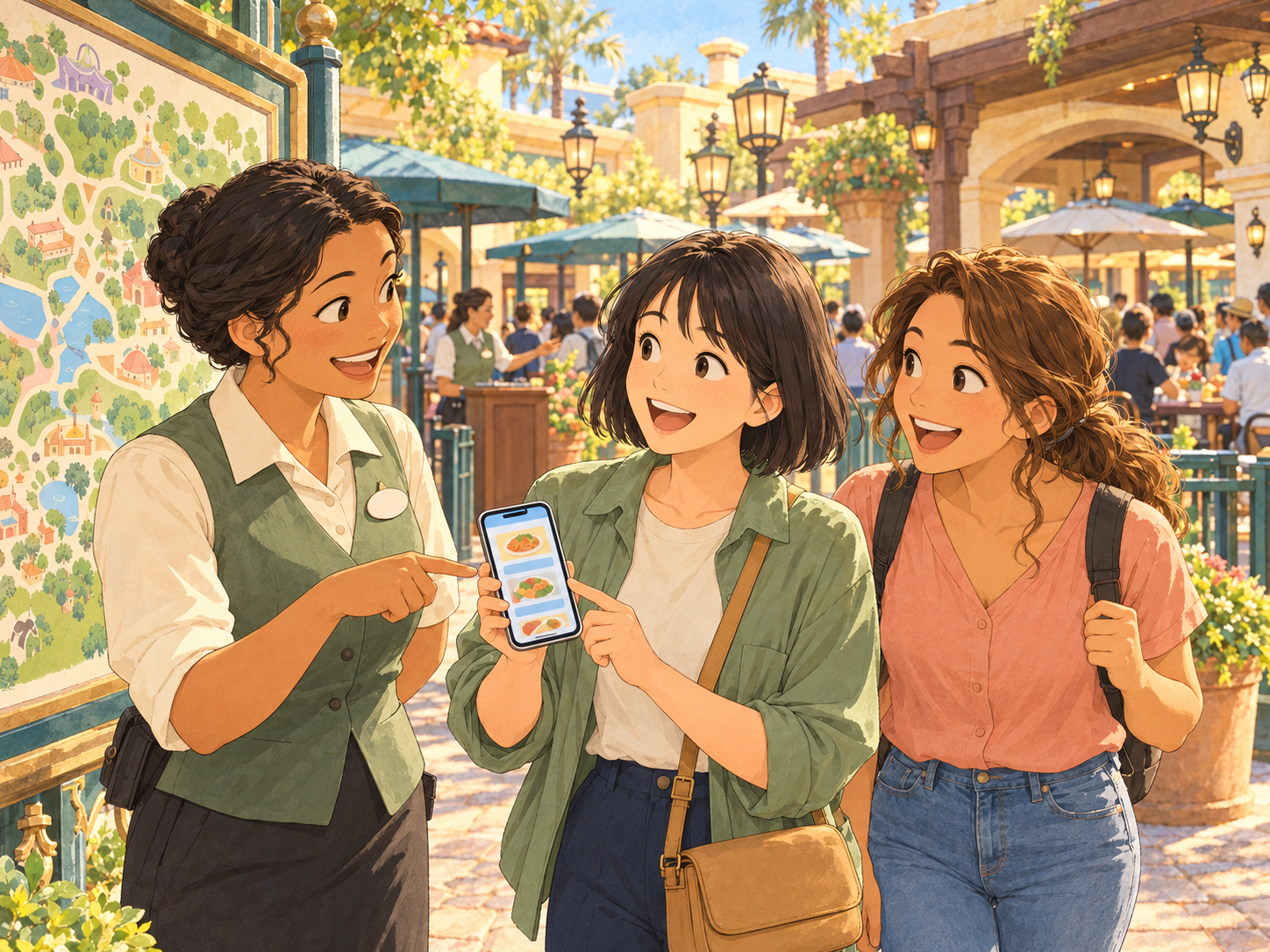
Text to type: It is late morning, and you are walking inside the park with your friend Emma. You both want a sit-down lunch later, but the restaurants look busy. You see a staff member named Rosa near a map. Your goal is to find out how to get a table at a sit-down restaurant, and how to tell the restaurant that your friend cannot eat eggs.
Ready. The timer starts with your first key.
Complete
Great job!
Strong finish — your speed stayed steady.
Your rhythm
Speed over time- Time
- 0:00
- Raw speed
- 0 WPM
- Wrong keys
- 0
- Corrected
- 0
Roleplay
Conversation: Asking a Staff Member for Help
Practise with the dialogue audio
Audio unavailable. Please try again.
You
Excuse me, sorry to bother you. Could you help me?
Rosa (park staff)
Of course! What do you need?
You
My friend and I want to eat at a sit-down restaurant later. How do we get a table?
Rosa (park staff)
Some table-service restaurants have a walk-up list in the Disneyland app. If there's space, you can add your group.
You
Do I need to go to the restaurant first?
Rosa (park staff)
Not always. You can check in the app. Or you can scan the QR code near the restaurant entrance. You don't need to go to the host stand.
You
Sorry, what's a host stand?
Rosa (park staff)
It's the desk at the front, where staff welcome guests.
You
I see. Also, my friend can't eat eggs. Is that a problem?
Rosa (park staff)
I'm glad you asked. When you add your group to the list, you can tell them about special dietary needs in the app.
You
That's a relief. Last year, at a restaurant in [your city], it was hard to explain.
Rosa (park staff)
Oh, I understand. Writing it in the app makes it easier.
You
And what if there's no space?
Rosa (park staff)
Then you can check again later. Or you can order food ahead of time in the app at some quick places.
You
Great. Thank you for your help!
Rosa (park staff)
You're welcome. Enjoy your lunch!
 Scene: Ordering Lunch in the App
Scene
Scene: Ordering Lunch in the App
Typing practice
Type the text exactly. Timer starts with your first key.
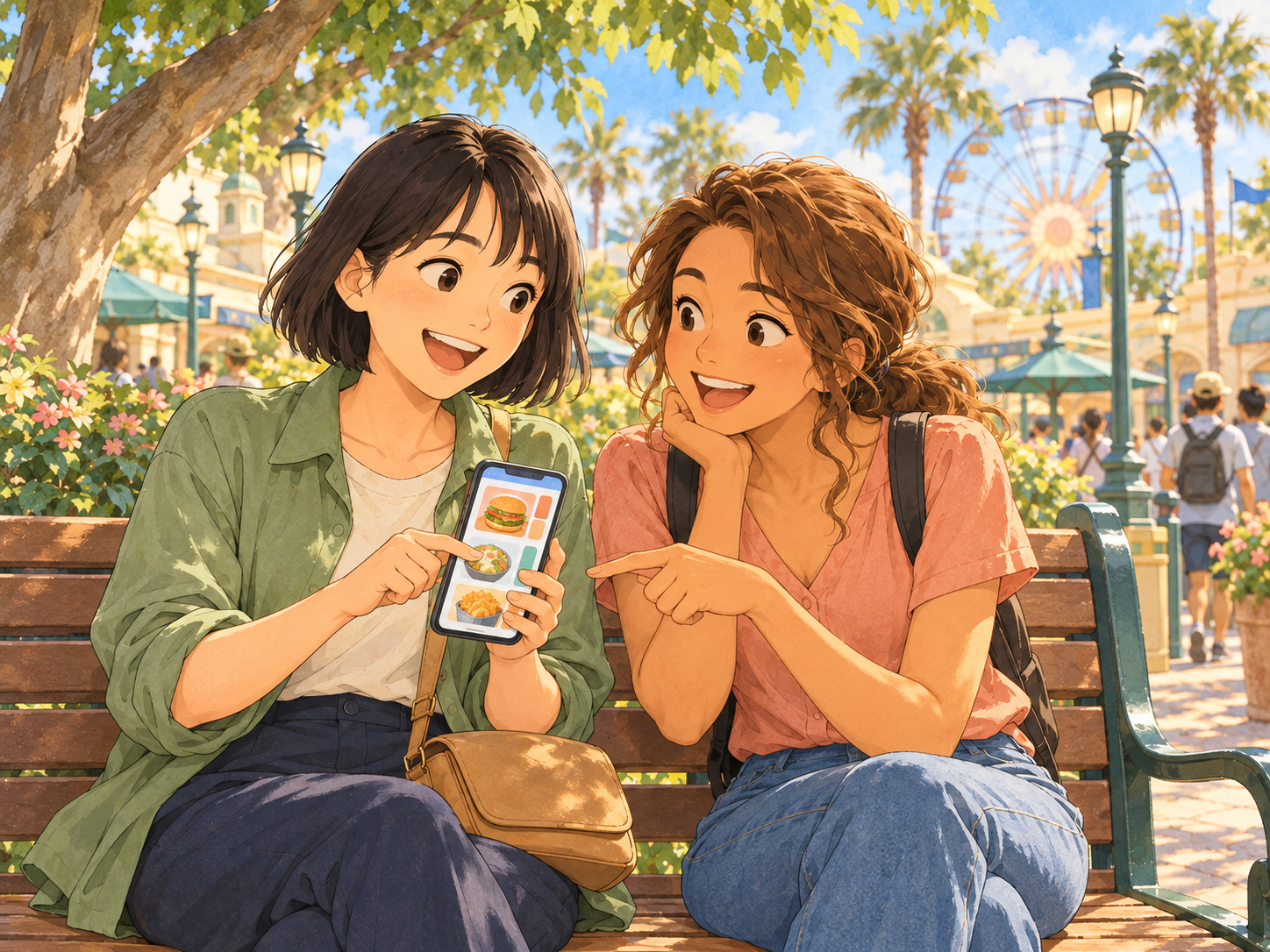
Text to type: It is lunchtime, and you and Emma are sitting on a bench in the shade. You checked the walk-up list, but there was no space. Emma is hungry, and you have the Disneyland app open on your phone. Your goal is to order lunch for both of you in the app, change Emma's food so it has no eggs, and pay.
Ready. The timer starts with your first key.
Complete
Great job!
Strong finish — your speed stayed steady.
Your rhythm
Speed over time- Time
- 0:00
- Raw speed
- 0 WPM
- Wrong keys
- 0
- Corrected
- 0
Roleplay
Conversation: Ordering Lunch in the App
Practise with the dialogue audio
Audio unavailable. Please try again.
Emma (your friend)
I'm so hungry. Did you check the walk-up list?
You
Yes, but there's no space right now. Let's order food in the app.
Emma (your friend)
Good idea. How does it work?
You
First, we choose a restaurant. Then we pick an arrival time.
Emma (your friend)
An arrival time? What's that?
You
It's the time we go and get our food. So we order ahead of time.
Emma (your friend)
Nice. How about in thirty minutes? I want to go on one more ride first.
You
Sure. I'll choose that time. What would you like?
Emma (your friend)
Let me look at the menu. Hmm, I'll have this one. But it can't have eggs.
You
No problem. We can customize the order. I'll take out the egg. Is that okay?
Emma (your friend)
Perfect. And water, please.
You
I'd like the same, but with a bigger drink. I'm really thirsty.
Emma (your friend)
Ha, me too, after all that walking. How do we pay?
You
There are a few ways. I can use Apple Pay or a Disney Gift Card.
Emma (your friend)
Can I pay half? I'll send you the money tonight.
You
Sure, that's fine. Okay, I'm paying with Apple Pay now. Done! The order is in.
Emma (your friend)
Thank you! That was so much easier than a long line.
You
I agree. Let's go to the ride and come back at our time.
Emma (your friend)
Deal. Let's go!
Speak
Speaking
What you can do now
Final Reflection
Which conversation today felt easiest for you, and which felt hardest? Why?
Would you rather order food in an app or talk to a person at a counter? Why?
What is one question you want to ask a staff member on your next trip?
Learning cards
My cards
A Day at Disneyland: Tickets, Help and Lunch
0 due · 0 new · about 1 min
Learn the sense first · then retrieve it
No saved cards yet
Open a word or phrase in the article and choose Save to My Words.
Focused Reading Mode is open.
Listening
Lesson audio
Listen from the beginning, or choose “Play this part” as you read along.
Reading
Part 1: The Resort and Your Ticket
Reading
Part 2: Getting Help With a Table
Reading
Part 3: Ordering Food With the App
Finished listening?
Mark this listening practice complete when you have followed the lesson audio.
Listening complete
Listen Mode
Word-by-word syncPlay the audio and follow the highlighted word.
Article complete
Choose your next step
Open the next same-level lesson, replay the article, or save this page for later.
Listen Again
Replay the article once and notice how much more you understand.
One replay is enough. Then move on.